 Artist Toolbox
The complete planning companion for painters
Four creative tools.
One artist-first vision.
Arttrezzi is a growing family of digital tools made for traditional artists—from planning and color study to underpainting, composition, drawing, and painting.
Artist Toolbox Available nowUnderpainting Coming soonPainterra Studio Coming soonDrawtrezzi In development
Artist Toolbox Underpainting
 Painterra Studio
 Drawtrezzi
Three Arttrezzi apps · One connected painting process
Plan with precisionBuild a stronger foundationExplore color deeplyMove ideas toward finished art
Coming soon · Underpainting
See the foundation
before you paint it.
Underpainting is already taking shape as a focused analysis studio. These real screens show how it simplifies a reference, reveals its values, and helps artists plan the first painted layer.
01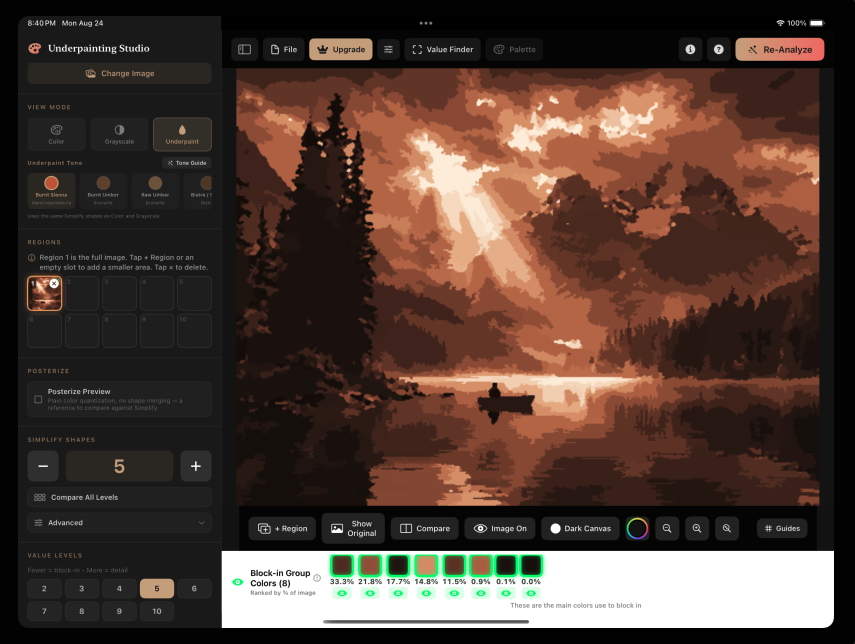
Preview a real underpainting
Convert a reference into a simplified warm underpainting study with adjustable tones and value levels.
02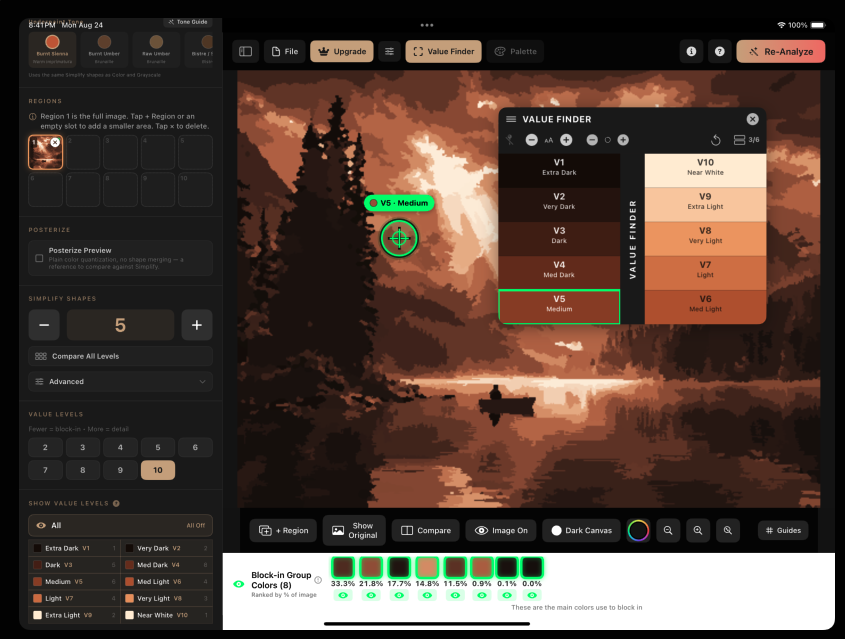
Find values directly in the image
Sample any point and identify its position on a clear ten-step value scale.
03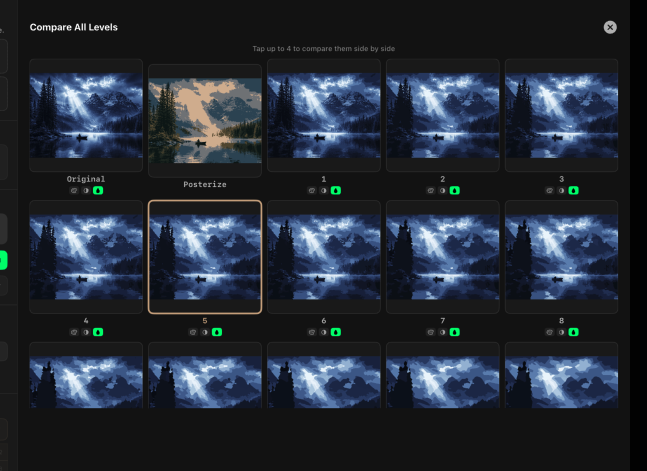
Compare every simplification level
Review the original, posterized study, and multiple value reductions side by side.
04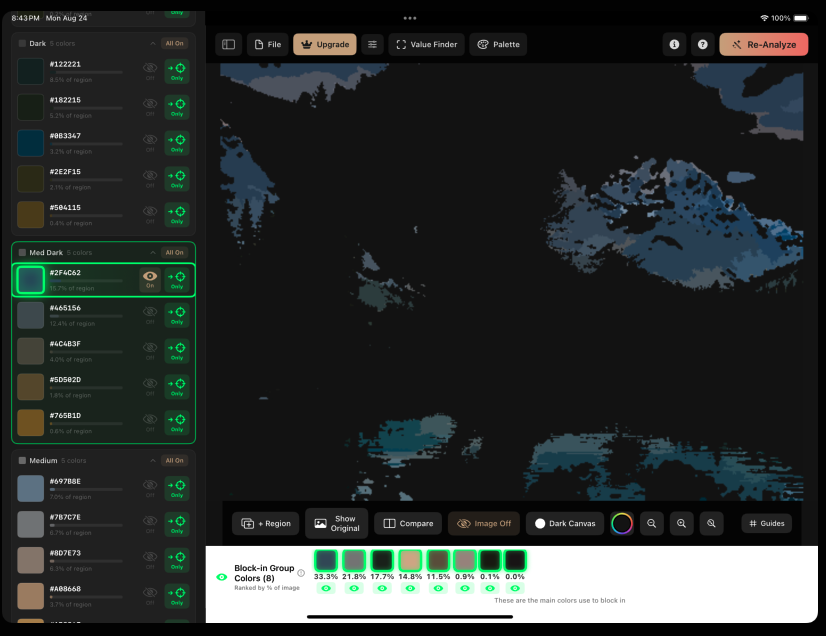
Isolate the shapes you need to paint
Show individual value groups and block-in colors to understand the large structure first.
Coming soon · Painterra Studio
See color as a
living structure.
Painterra Studio turns the Munsell color system into an interactive workspace. These real screens show hue, value, and chroma in multiple views and connect selected colors to practical paint matches.
01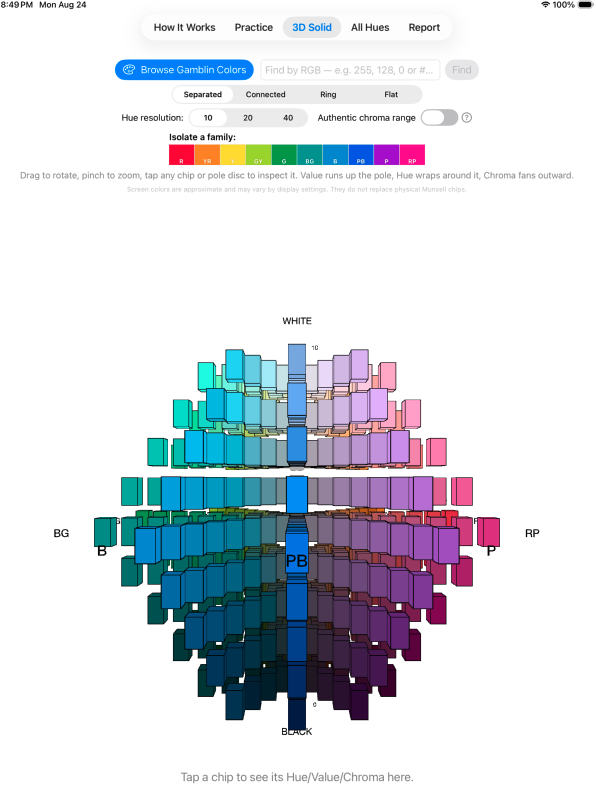
Explore color as a 3D solid
Rotate, zoom, and inspect how hue, value, and chroma relate across the complete color structure.
02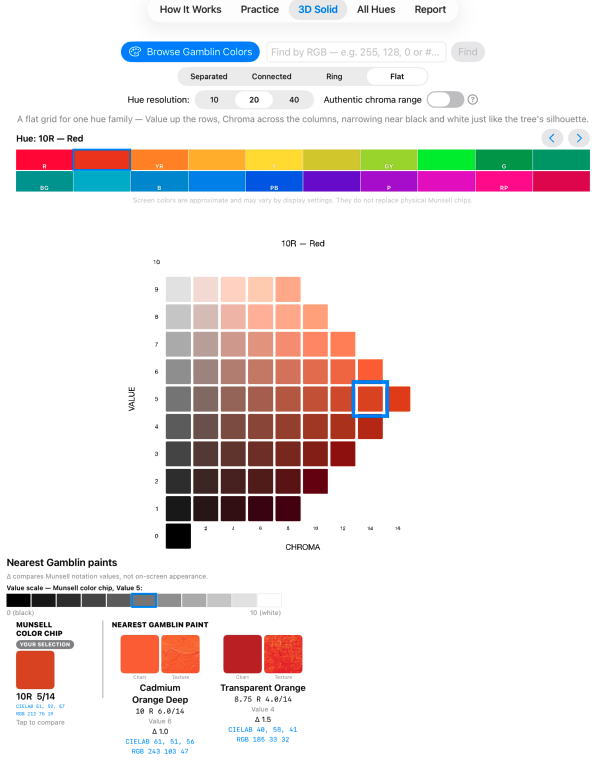
Study one hue family in detail
Move through value and chroma in a clear flat view and select an exact Munsell color position.
03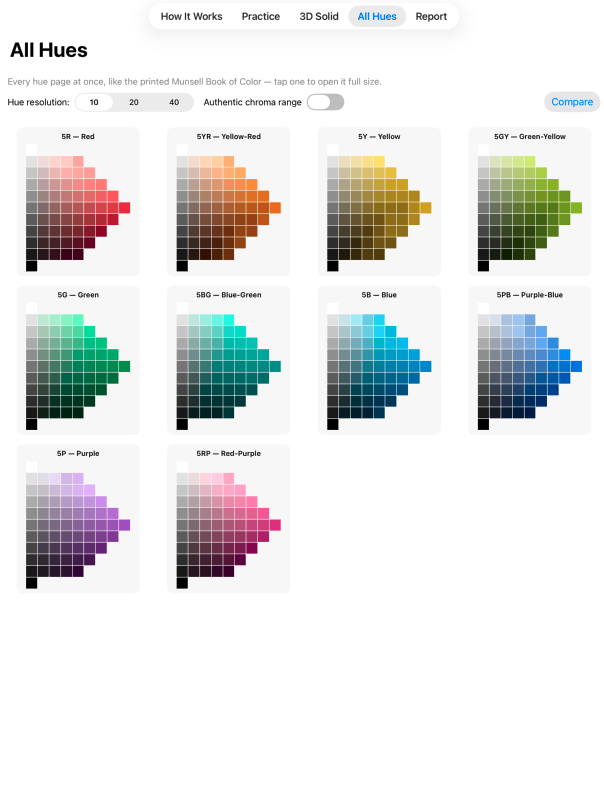
Compare the full family of hues
See every major hue page together to understand how value and chroma shapes change around the color space.
04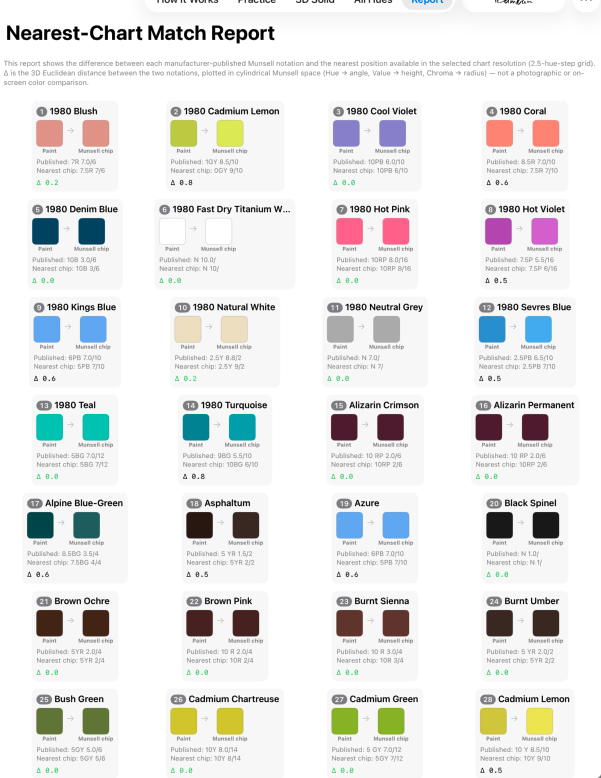
Connect color theory to real paint
Compare chart colors with the nearest available paint matches in a practical, studio-ready report.
In development · Drawtrezzi
Plan it. Compose it.
Draw it. Paint it.
Drawtrezzi is a drawing, painting, and composition studio built specifically for artists. It brings references, professional visual guides, drawing tools, painting tools, and layers together on one canvas.
01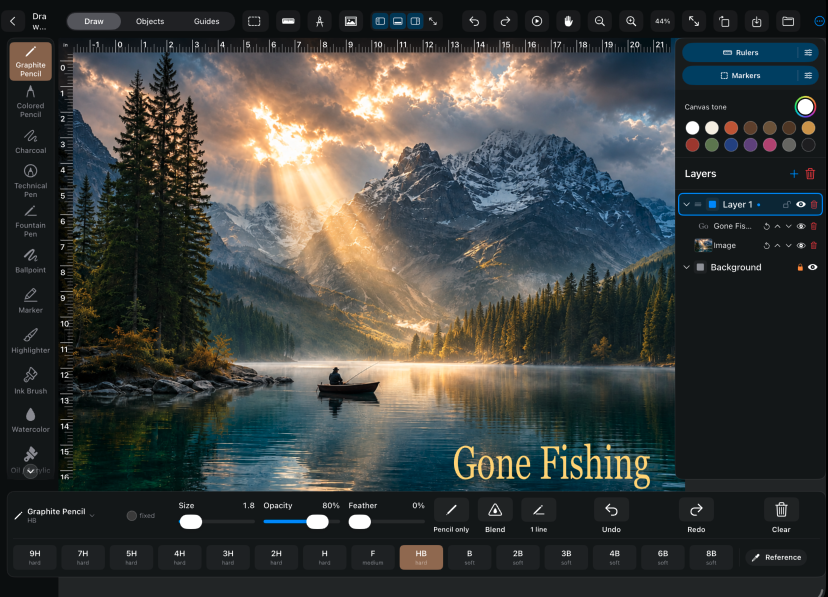
Draw and paint in one artist-first studio
Move from the first graphite sketch to painted color using pencils, pens, brushes, layers, and adjustable canvas tools.
02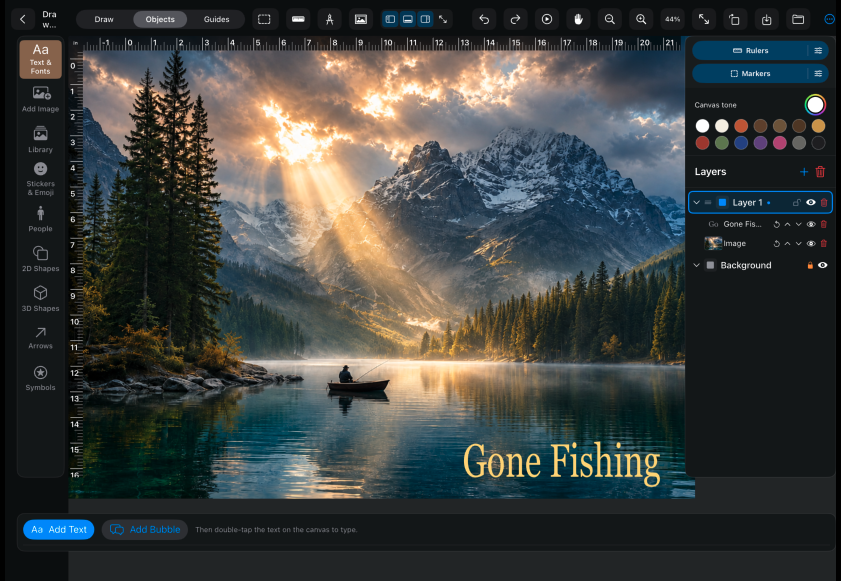
Build complete compositions from references
Import multiple images, remove backgrounds, reposition elements, add text, and arrange the scene before committing it to canvas.
03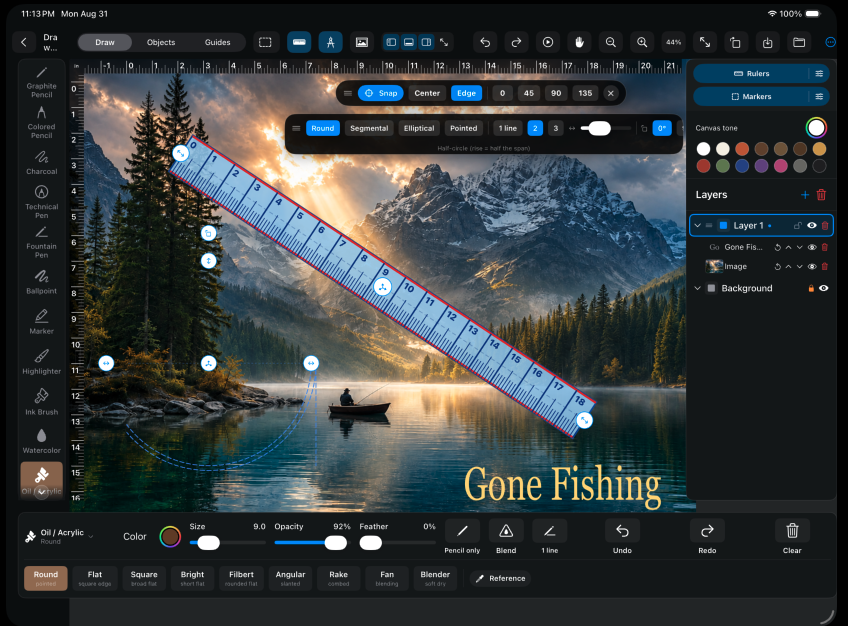
Use professional guides directly on the canvas
Work with movable rulers, grids, horizon lines, perspective tools, Rule of Thirds, and Golden Ratio guides while you draw.
04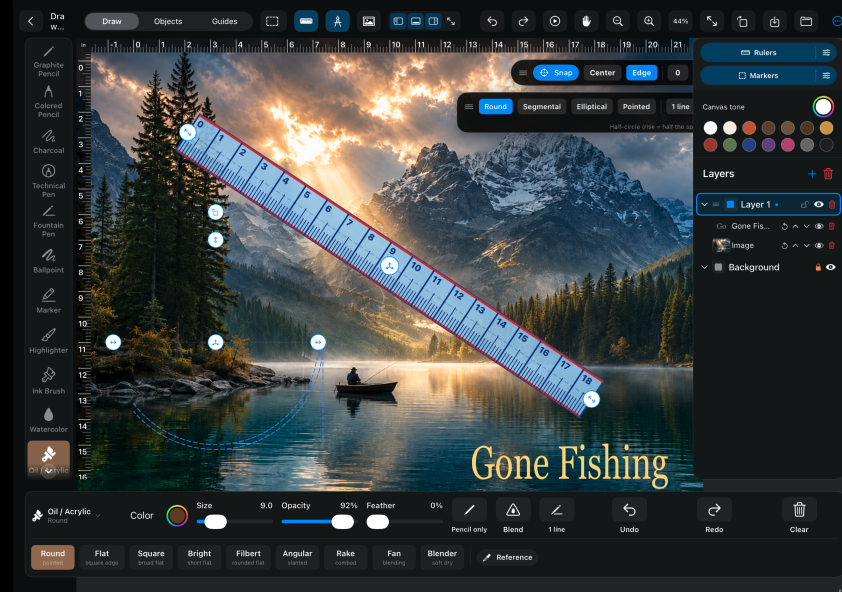
Keep every drawing decision within reach
Control rulers, markers, layers, brush behavior, color, opacity, and composition without leaving the creative workspace.
Available now · Artist Toolbox
Less uncertainty.
More time painting.
See what the first app in the Arttrezzi family can already do. These are real working screens—not mockups.
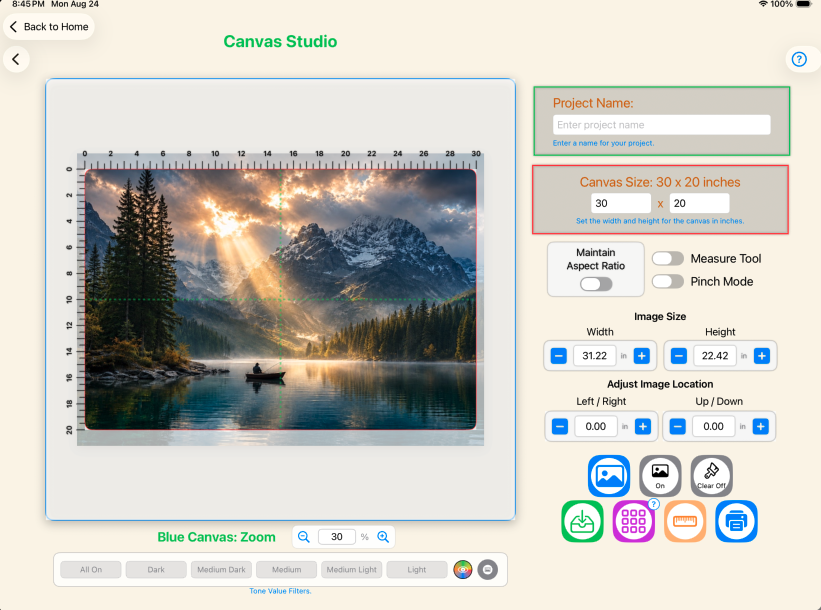
Canvas Studio
Fit any reference to your real canvas
Set physical dimensions, position your image precisely, add grids, and measure proportions before you touch the canvas.
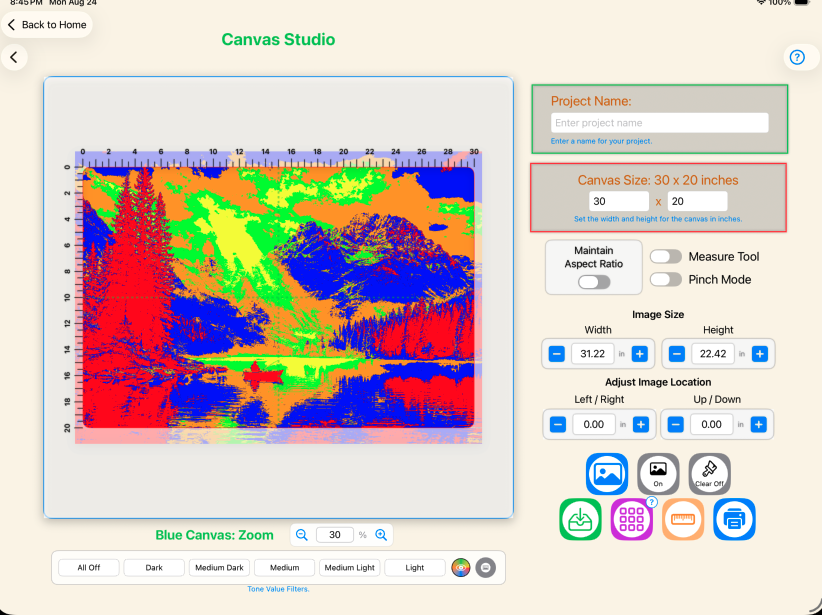
Posterize study
Simplify the image into bold color shapes
Reduce visual complexity and see the large color regions you can block in before refining details.
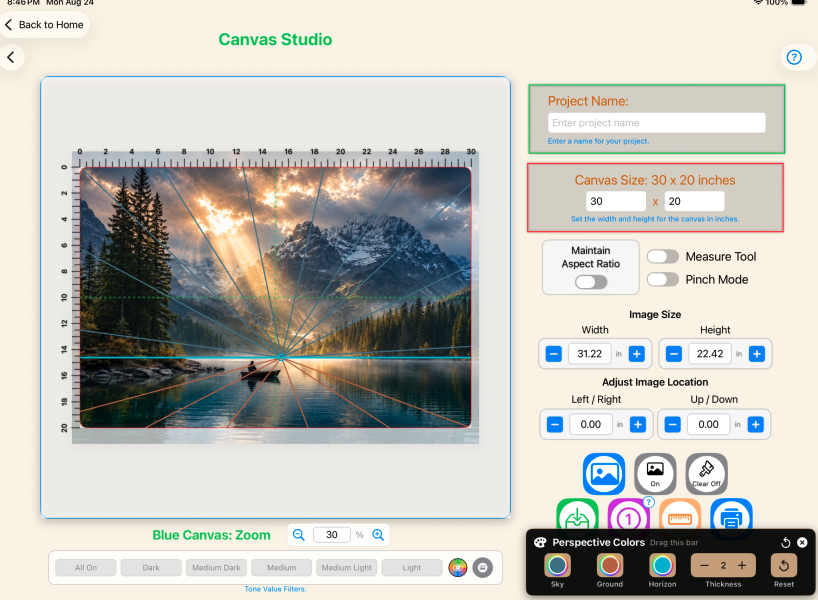
Perspective guides
Find and adjust vanishing points
Place perspective guides directly over your reference and control their color, thickness, and position.
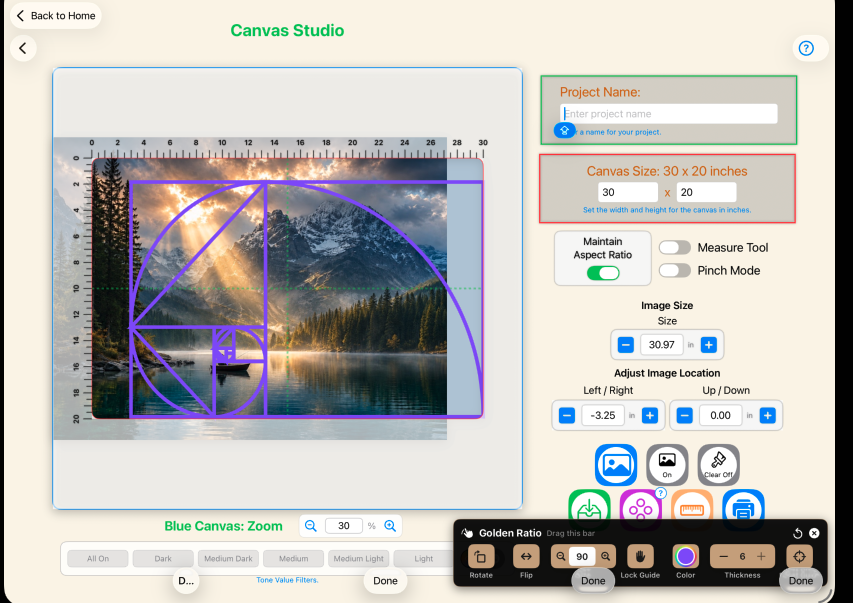
Composition guides
Explore the golden ratio on your image
Rotate, resize, and position a golden-ratio guide to evaluate and strengthen your composition.
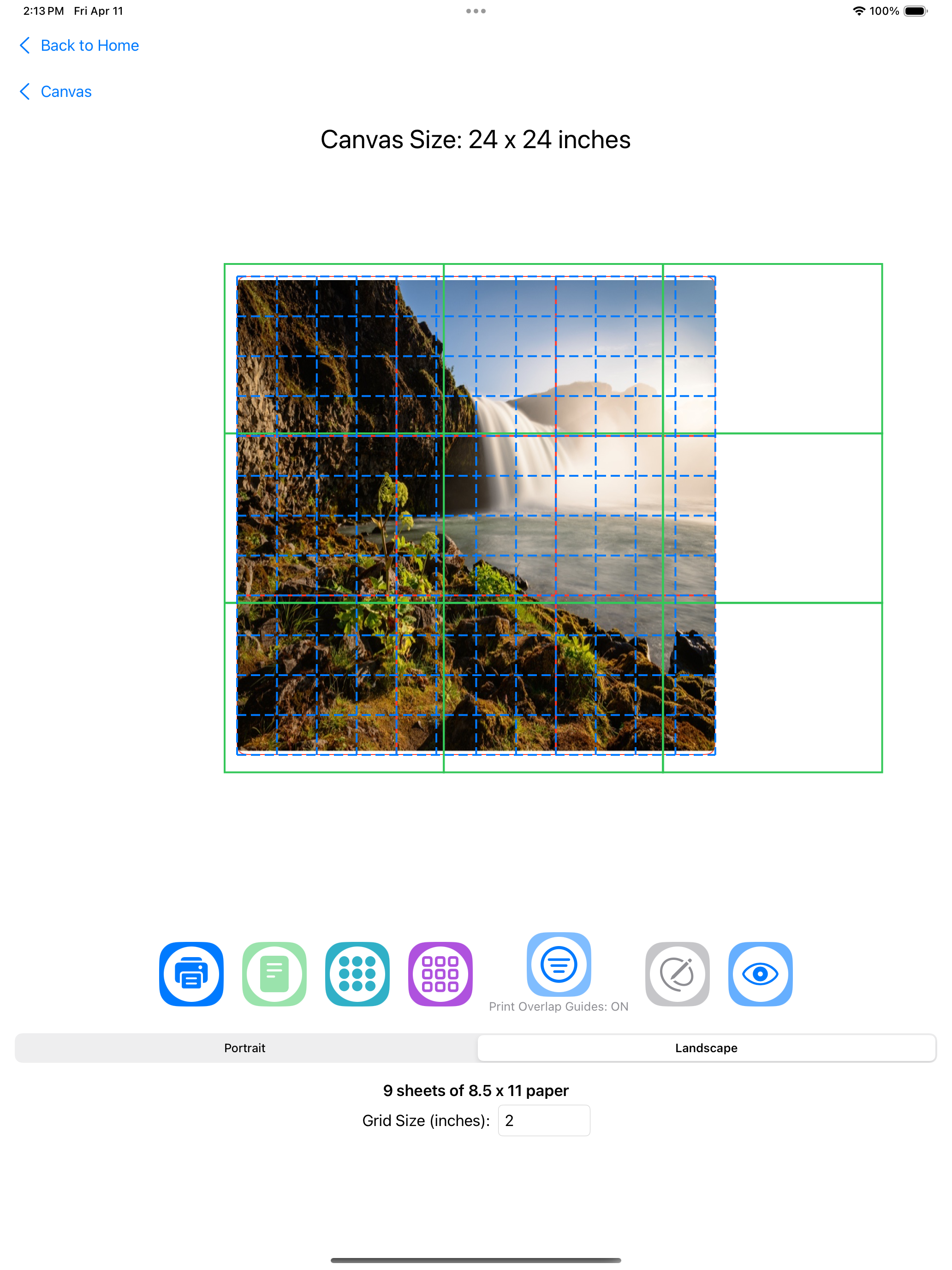
Print to scale
Transfer your composition at full size
Print a tiled layout across standard pages, assemble it, and transfer an accurately scaled drawing to your canvas.
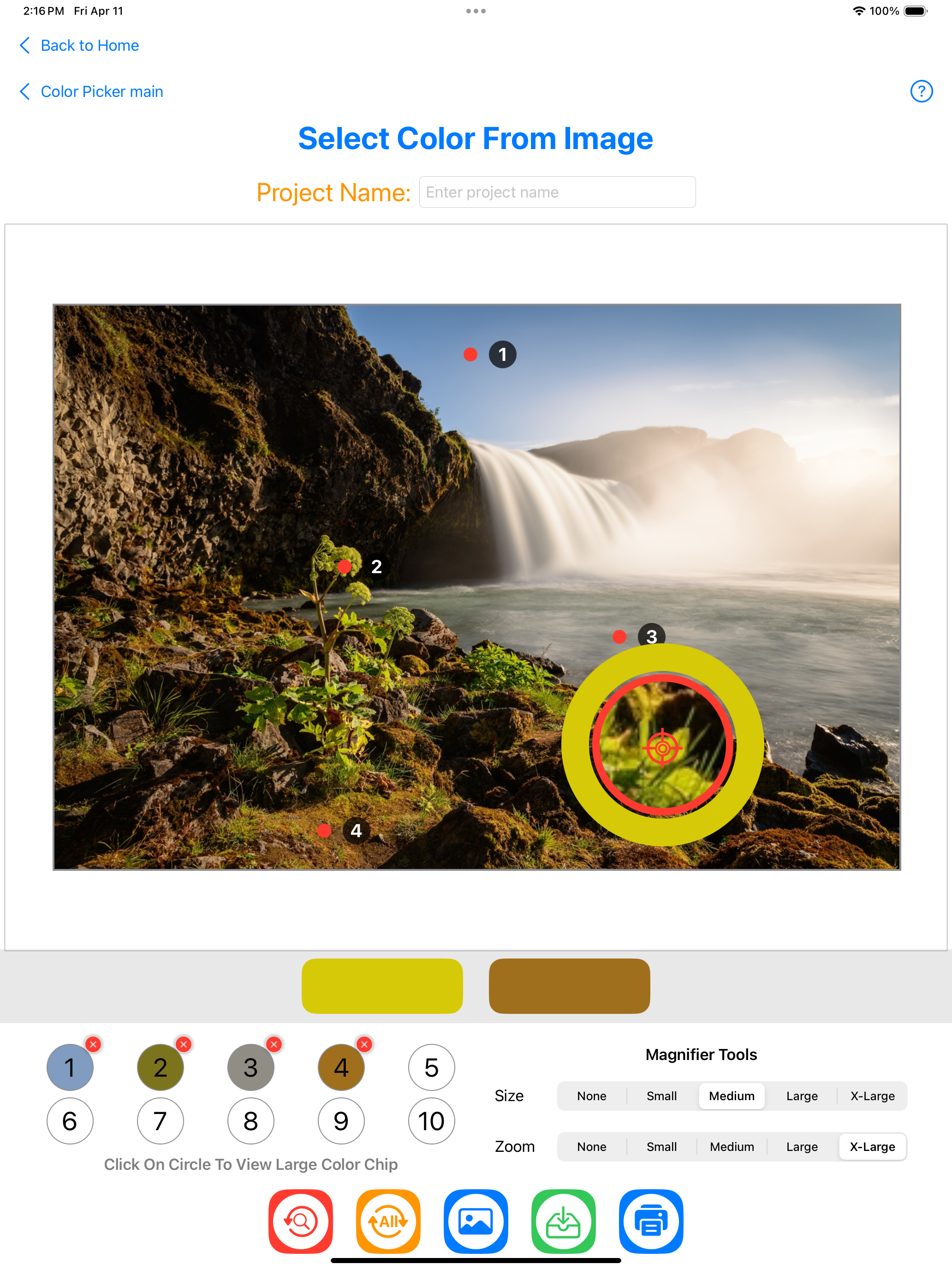
Color Picker Studio
Turn reference colors into paint decisions
Sample important colors from your image and inspect practical values for building a more confident palette.
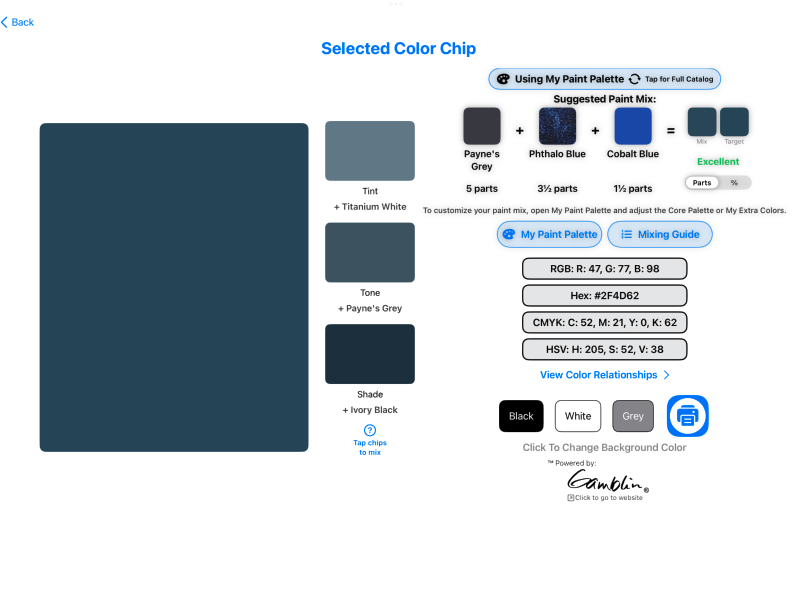
Paint color study
See a suggested real-paint mixture
Review tint, tone, shade, color values, and an approximate paint recipe for the selected reference color.
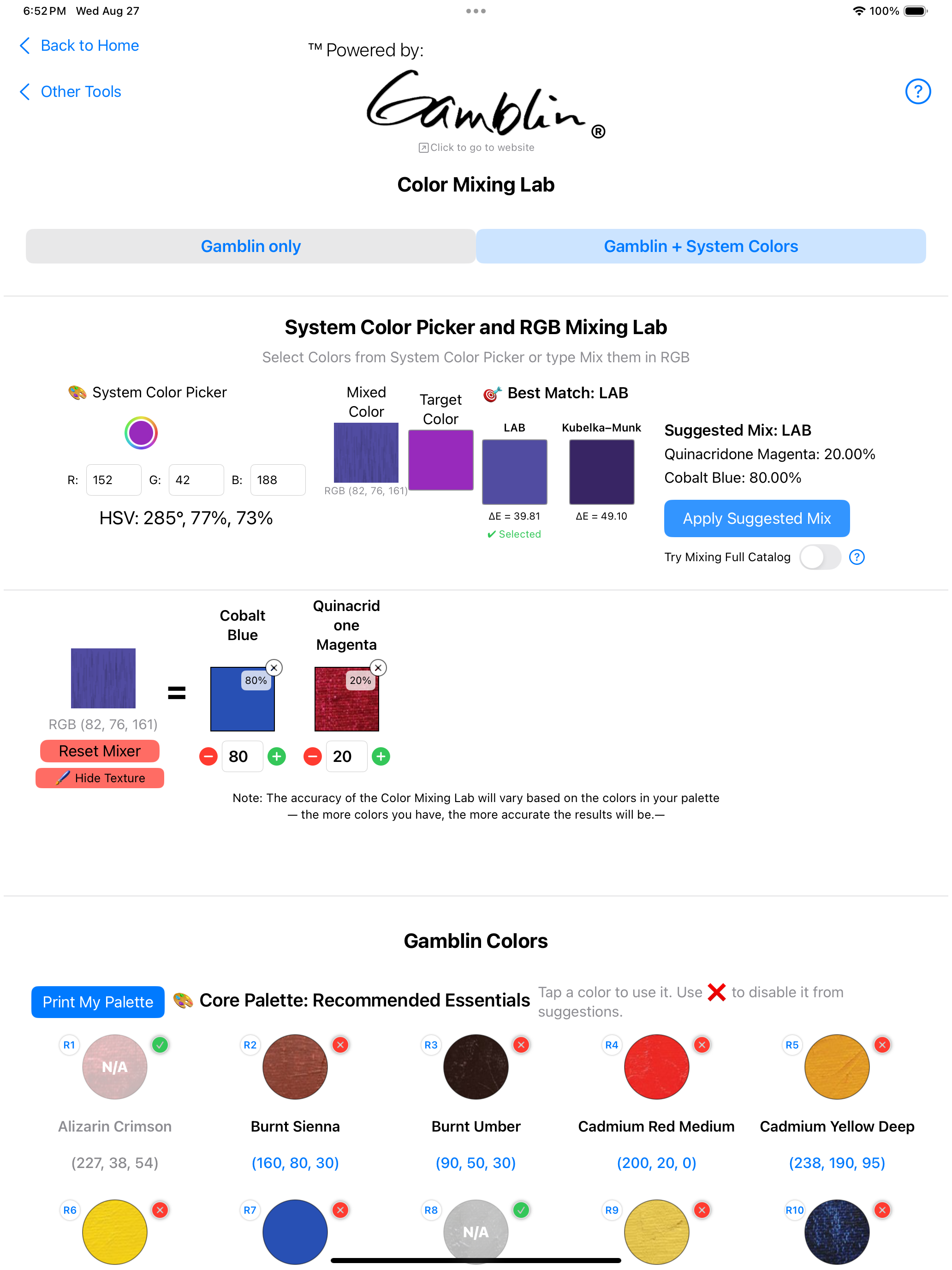
Color Mixing Lab
Test a mixture before using your paint
Combine colors and adjust their proportions to explore a likely mixture before committing materials on the palette.
The Arttrezzi collection workflow
Plan → study → compose → draw → paint
Together, Artist Toolbox, Underpainting, Painterra Studio, and Drawtrezzi support the journey from first reference to finished painting.
Available now: Artist ToolboxThe Arttrezzi collection
Built around the way
artists actually work.
Available now
ARTTREZZI
Artist Toolbox
The all-in-one preparation and planning companion for painters.
Explore the appComing soon
ARTTREZZI
Underpainting
A focused companion for building the essential first layer of a painting.
Explore the appComing soon
ARTTREZZI
Painterra Studio
A new studio experience for exploring color and developing a complete vision.
Explore the appIn development
ARTTREZZI
Drawtrezzi
A drawing, painting, and composition studio built specifically for artists.
Explore the appAbout Arttrezzi
Digital tools for traditional artists.
Arttrezzi is a professional artist toolbox designed for painters, illustrators, and visual artists. It helps artists plan compositions, measure layouts, match colors, study values, and prepare artwork for printing.
Our goal is simple: let technology handle the preparation so artists can spend more time making art.
Support & contact
We’re here to help.
Questions, technical issues, or need assistance with Artist Toolbox? Contact Arttrezzi Support. We strive to respond within 48 hours.
support@arttrezzi.comLegal information
Simple, transparent terms.
The Arttrezzi collection
Made for artists.
Growing with the process.
Available now
Artist Toolbox
Coming soon
Underpainting
App Store launch aheadComing soon
Painterra Studio
App Store launch aheadIn development